
When knowledge is a weapon
3 concrete ways to learn with AI
I've never learned as much as I have since AI came along. And I don't think we talk about it enough.
Not because AI "knows" things.
An AI knows nothing on its own: it plays back what someone, somewhere, once wrote, structured and published. Knowledge is still human at the source. What's changed is what happens between that information and you. Now it can be tailored almost entirely:
the format, the pace, the level of detail, the questions you get asked to check that you've really understood.
For a long time, the obstacle to knowledge was access to information. Today, access isn't the problem anymore.
The problem is processing: how to read, retain, structure and question what you already have in hand without drowning in it.
One warning: there are also a few classic mistakes that can ruin everything. I cover them at the end.
Here are 3 concrete ways to start, this week, with what you already have.
But first, if you lead a company or invest, with important decisions to make in the coming months, here's a change you're going to like:
For months now, The Ergon Report (GenevIA's private analysis of what AI is really doing to companies, professions and markets) has been giving Swiss and French-speaking leaders the information to make the right call. The report is its core format.
On Saturday, I'm launching the Ergon interface, which lets you apply the three techniques in this issue to every report: an interactive walkthrough with diagrams, a round of test questions, and a conversation with an AI that defends the thesis.
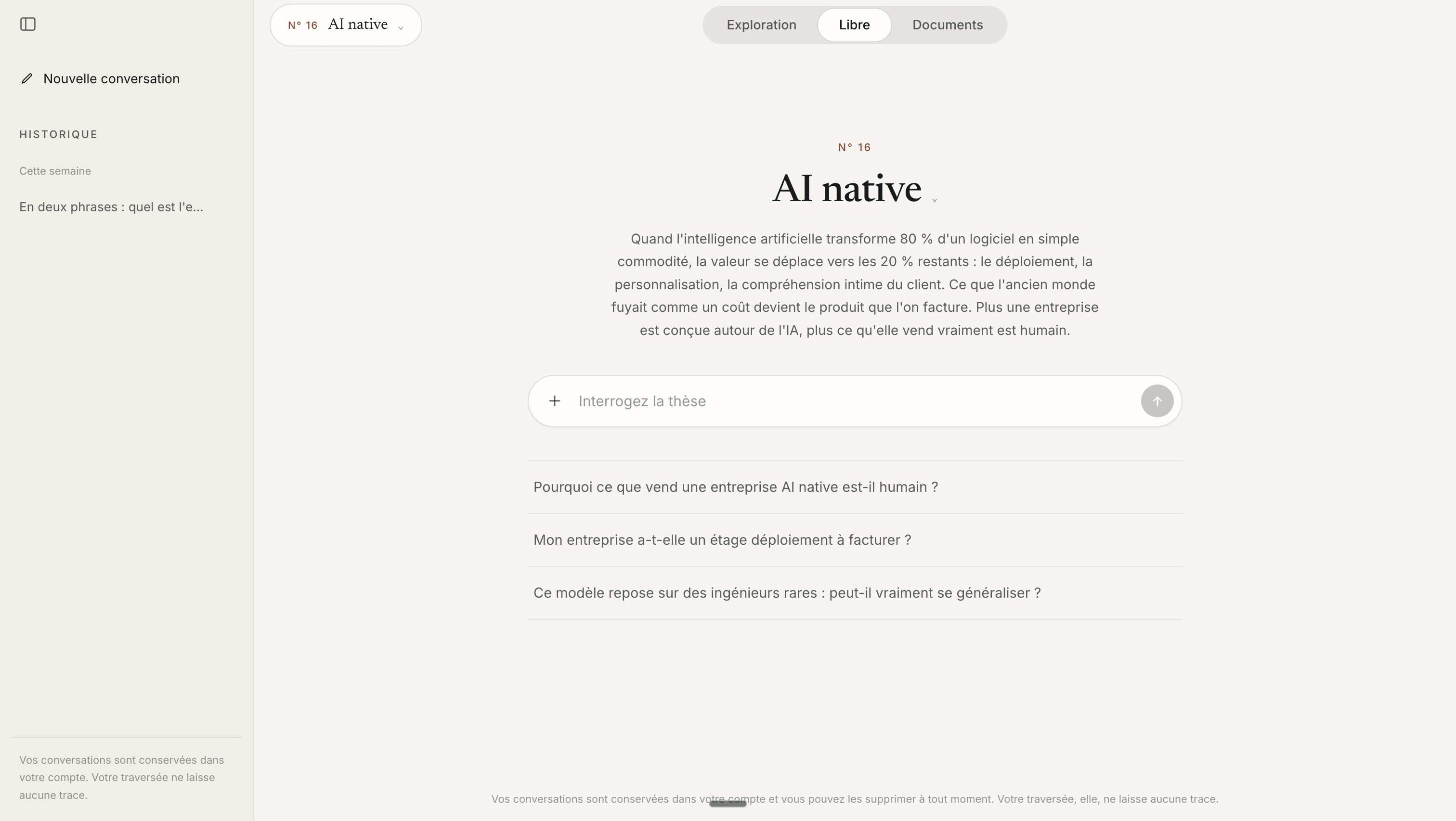
The Ergon Report #16: AI native
For now, it's included in the subscription price, but that price is going up. You have 72 hours to lock in the current rate.
If that sounds like you, join The Ergon Report here. The 30-day trial is no strings attached.
Back to business.
1. Turn a dense text into a diagram you can quiz yourself on
-
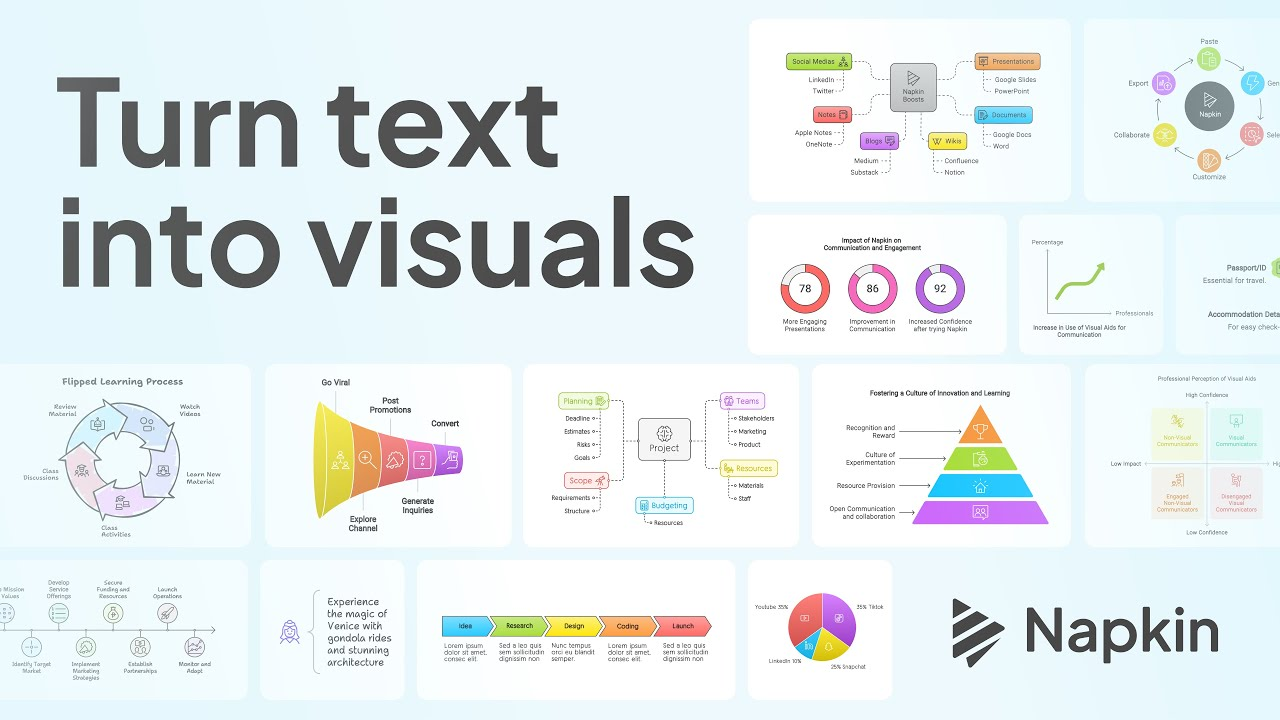
Paste an article, a chapter or your notes into a tool like Napkin AI. The AI suggests several diagrams (process, comparison, timeline), you pick the one that speaks to you most, and you tweak it.
-
Once you have the diagram, close the loop by asking Claude, ChatGPT or NotebookLM to quiz you on it. You can start with a prompt as simple as:
Here's a text I just studied: [paste the text or a summary]. Ask me 5 questions to check that I've understood the key points, one question at a time, and only give me the answer after I've replied.
2. Question a document and demand proof
-
Load the document into NotebookLM, or attach it in Claude or ChatGPT.
-
Ask your questions as usual, but always add this constraint. Copy and paste this prompt:
Answer only from the document provided. For every claim, quote word for word the exact passage of the document you're relying on. If the information isn't in it, say so clearly instead of guessing.
- I recommend NotebookLM because they built their whole product around this discipline: every answer links back to the exact sentence in the source document, clickable and verifiable. That habit, more than the tool itself, is what makes the difference between saving time and creating errors.
3. Start from the apps you already know
- No need for a new tool. Open the app you already use and try this prompt on a document you never finished reading:
Summarize this document on three levels: one sentence, one paragraph, one page. Cite your sources at each level.
The technical detail that changes everything, PDF or not, images or not
-
A PDF under 100 pages with important diagrams or charts: upload it as is, most general-purpose AIs (Claude, for example) read the text and the visuals together.
-
A PDF over 100 pages: past that threshold, those same tools often switch to text-only reading, and images are no longer analyzed. You're better off splitting the PDF into several files under 100 pages, or extract the key images and upload them separately, alongside the text.
-
A Word or text document with embedded images: assume they won't be read at all, and upload them separately if they matter.
-
Beyond thirty or so pages, even tools that technically accept the whole document tend to remember the beginning and the end better than the middle. It's a documented phenomenon, still real in 2026 even on models with very large context windows. The habit to build: split the document into sections yourself and ask for a section-by-section summary before an overall synthesis.
A line to keep handy, to copy and paste whenever a document runs past thirty or so pages:
This document is [number] pages long. Let's work in sections: first summarize pages 1 to 20, keeping the exact figures and quotes, then wait for my go-ahead before moving on.
- The right move this week: take a single document you already have (a report, a course, a contract) and try just one of these three techniques on it.
Knowledge is a weapon. AI doesn't load it for you, it teaches you to aim better.
Talk soon,
Salim
PS: the Ergon interface arrives on Saturday, and it will be included in the current price of The Ergon Report subscription, before that price goes up. If you want the information to make the right call, and now several ways to make it your own, now is the time to join The Ergon Report. You have 72 hours left.
Get The Ergon Brief every week