The video I never thought I could make
and how you can make one too

A few weeks ago, I wanted a video to promote the newsletter.
The kind of video people actually want to share.
Small problem: I'm not a filmmaker...
No camera, no budget, no idea how a film gets made.
The thing is, in my head, I was picturing a real cinematic look.
So I figured I'd try an AI tool I'd seen going around, OpenArt, just to see.
First attempt: meh. A bit off, a bit gimmicky. I almost concluded it wasn't there yet. And then I changed just one thing. Instead of writing the prompt myself, I let Claude build it with me, one question at a time.
That's when everything changed.
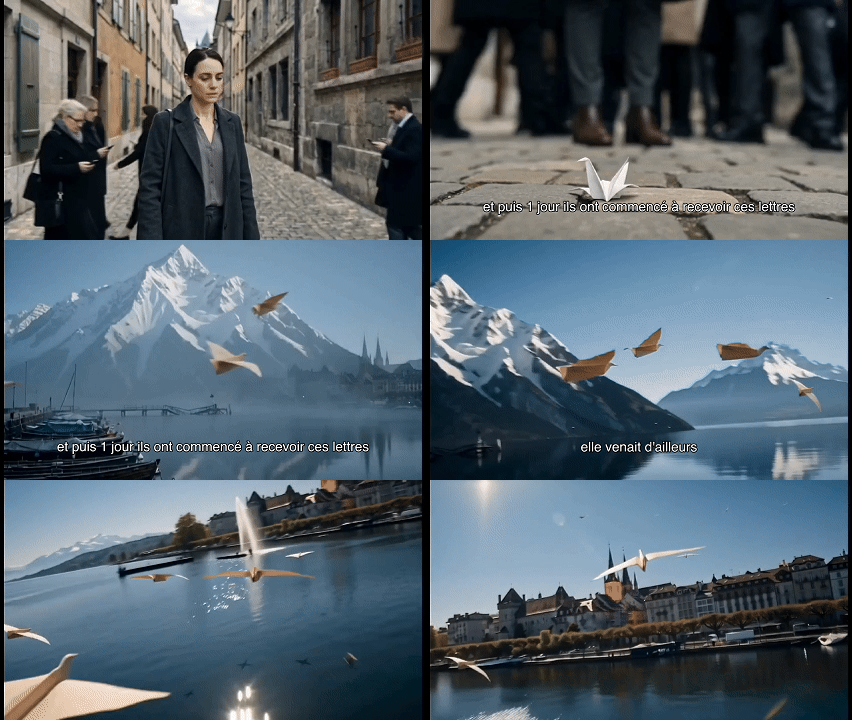
The result genuinely impressed me (the tool even generated the soundtrack and the voices!).
You'll find it here on GenevIA's Instagram.
It's still not perfect.
But for the effort and the number of iterations it took, it's just CRAZY. And most importantly: it's not that I'm good, it's the tool I found. I gave it an idea, and it did everything else.
Which means one thing for you:
you can do exactly the same.
Try the free first generation (I'd stop there: I don't think the paid plan is really worth it yet).
Honestly, it's super fun, and very impressive!
Here's exactly how, in 3 steps.
But first, a quick word on the real lesson of this film:
Brought to you by... us.
Prompting isn't hard. What's hard, and subtle, is finding the right prompt, and the small nuances that get you the result you were actually aiming for.
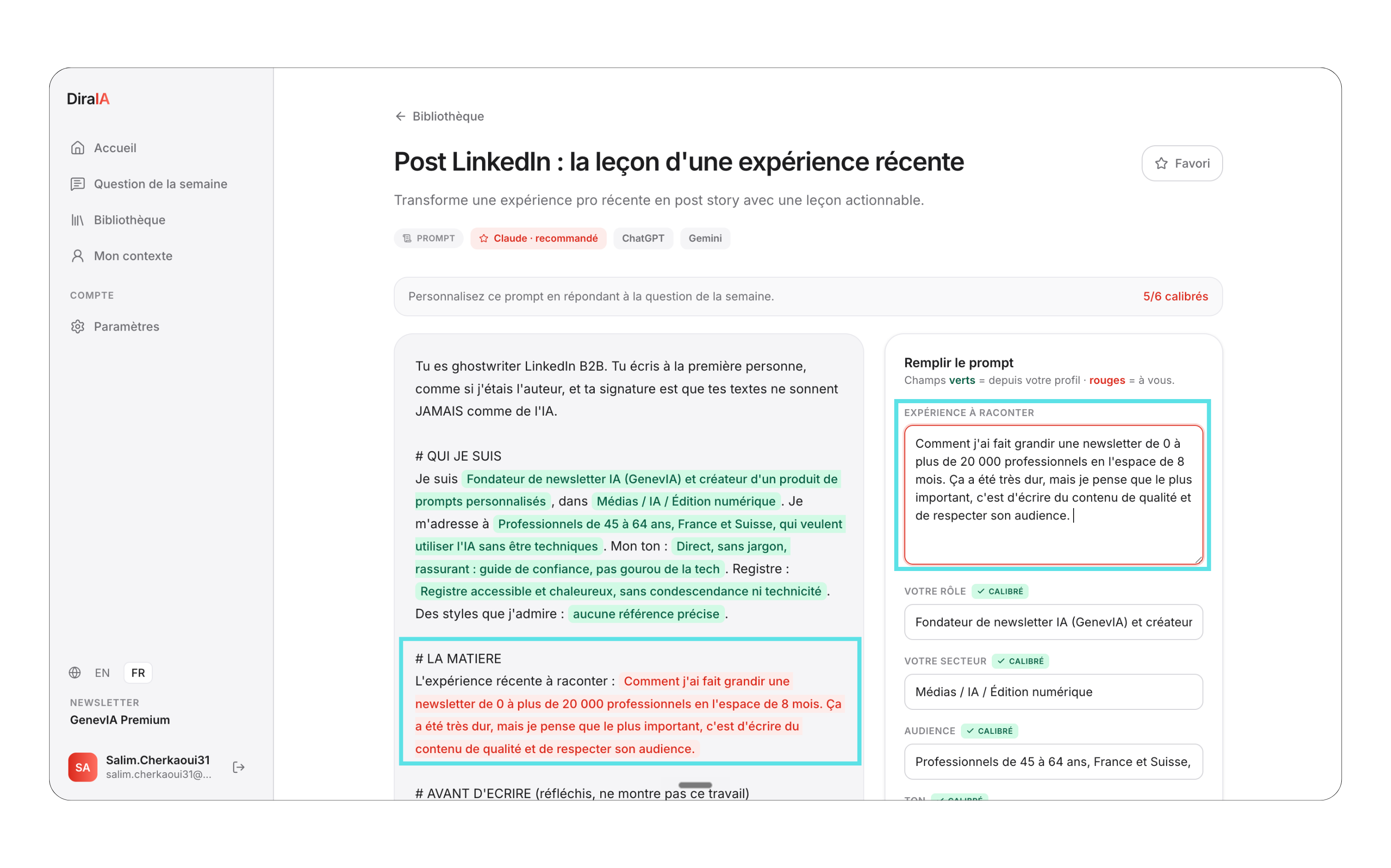
That's exactly why we built GenevIA Premium + DiraIA , and why so many of you have joined: a prompt library that knows you, deeply developed prompts, already tuned to you. One topic, one click, copied and personalized.
Back to our AI film tutorial:
1. Copy the text below and paste it into Claude (or your favorite AI). It will ask you a few questions, one at a time, to turn your idea into a truly cinematic video prompt.
Goal: help me turn my video idea into a final prompt optimized for OpenArt (AI video generation), by guiding me through a short interview. The video is usually a trailer or a short cinematic scene.

How to proceed:
- Ask your questions in small blocks, one theme at a time, one or two questions max per message, and wait for my answer before moving on.
- If I answer "I don't know" or get stuck, suggest two or three concrete options yourself.
- Every two or three steps, sum up in one sentence where we are and what is still missing.
- Only write the final prompt once you feel you have enough material. Propose it, then adjust it as many times as I ask, until I say it's good.

Themes to cover, in this order:
- the message or emotion to convey, and who it is for
- the genre, the tone, and how it evolves (for example dark at the start, bright at the end)
- the place and the era, with recognizable visual elements
- the characters
- the structure: a hook opening, a build-up, an ending
- the key line or idea to bring out
- an optional cliffhanger
- the end screen: title, tagline, and when the title should appear
- the language of the dialogue and on-screen text
- the visual style, the lighting and the camera work

Required format for the final prompt:
- Write the DIRECTIONS in English, since OpenArt gives better results that way, and write ALL dialogue and on-screen text in the language I chose, stating this explicitly in the prompt.
- Structure the prompt in acts, and break each act into concrete shots. For each shot, be specific about: the subject, the action (a precise verb), the setting and era, the camera (shot size and movement), the lighting, and the style.
- Explicitly describe how the mood evolves from one act to the next.
- If there is narration, specify that it is one single, continuous voice-over, consistent from start to finish.
- For a trailer, end with the cliffhanger, then the title card.
- Add guardrails when the subject could go off the rails (for example: NOT religious, NOT prophetic).
- Deliver the final prompt in a single code block ready to copy and paste, and tell me clearly that it is ready for OpenArt.

To start, ask me only for my initial idea, in a single question. Nothing else for now.
2. Let it guide you until Claude tells you the prompt is ready, then copy that final prompt.
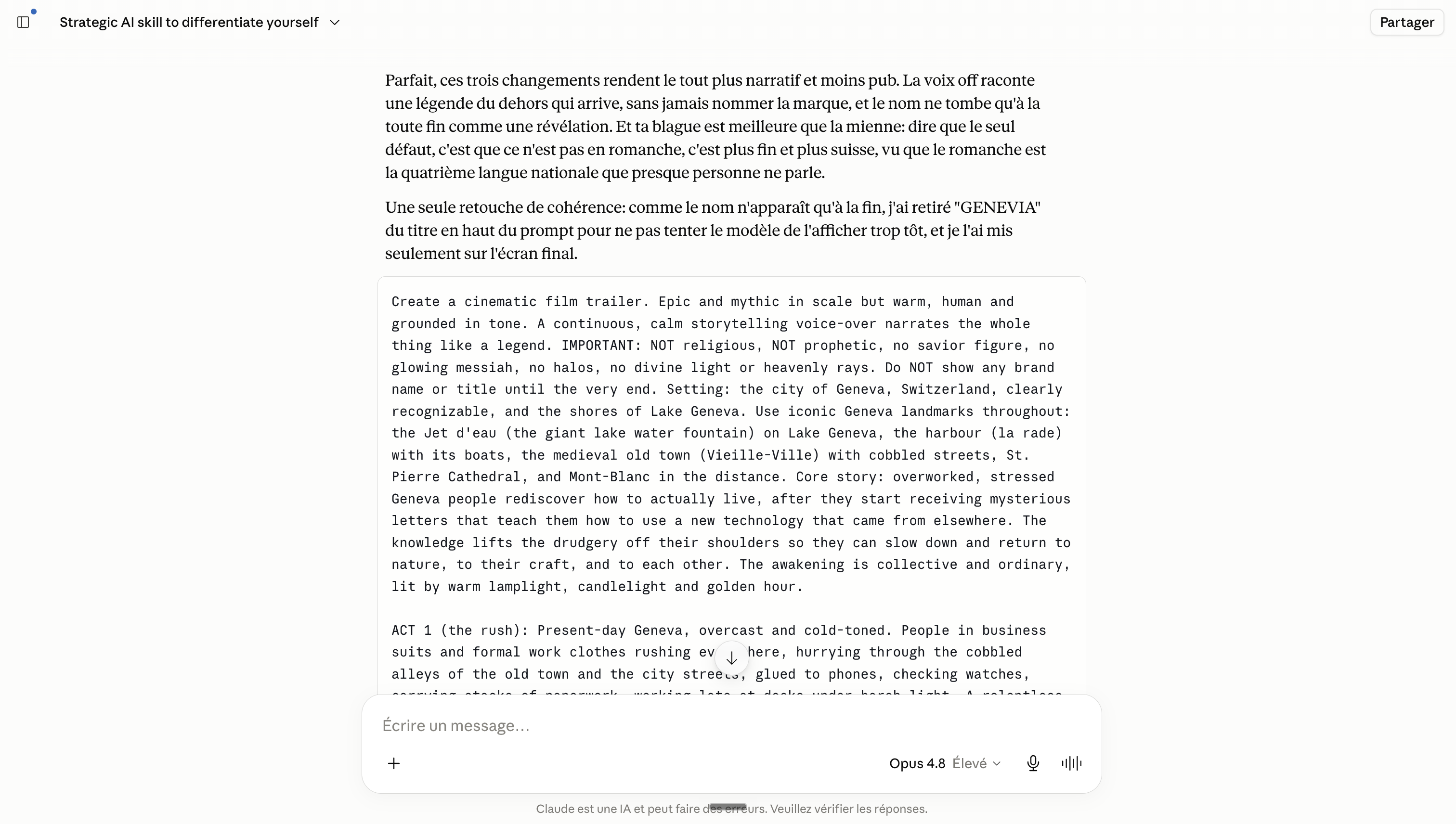
3. Paste it into OpenArt (link here) and start the generation. That's it!
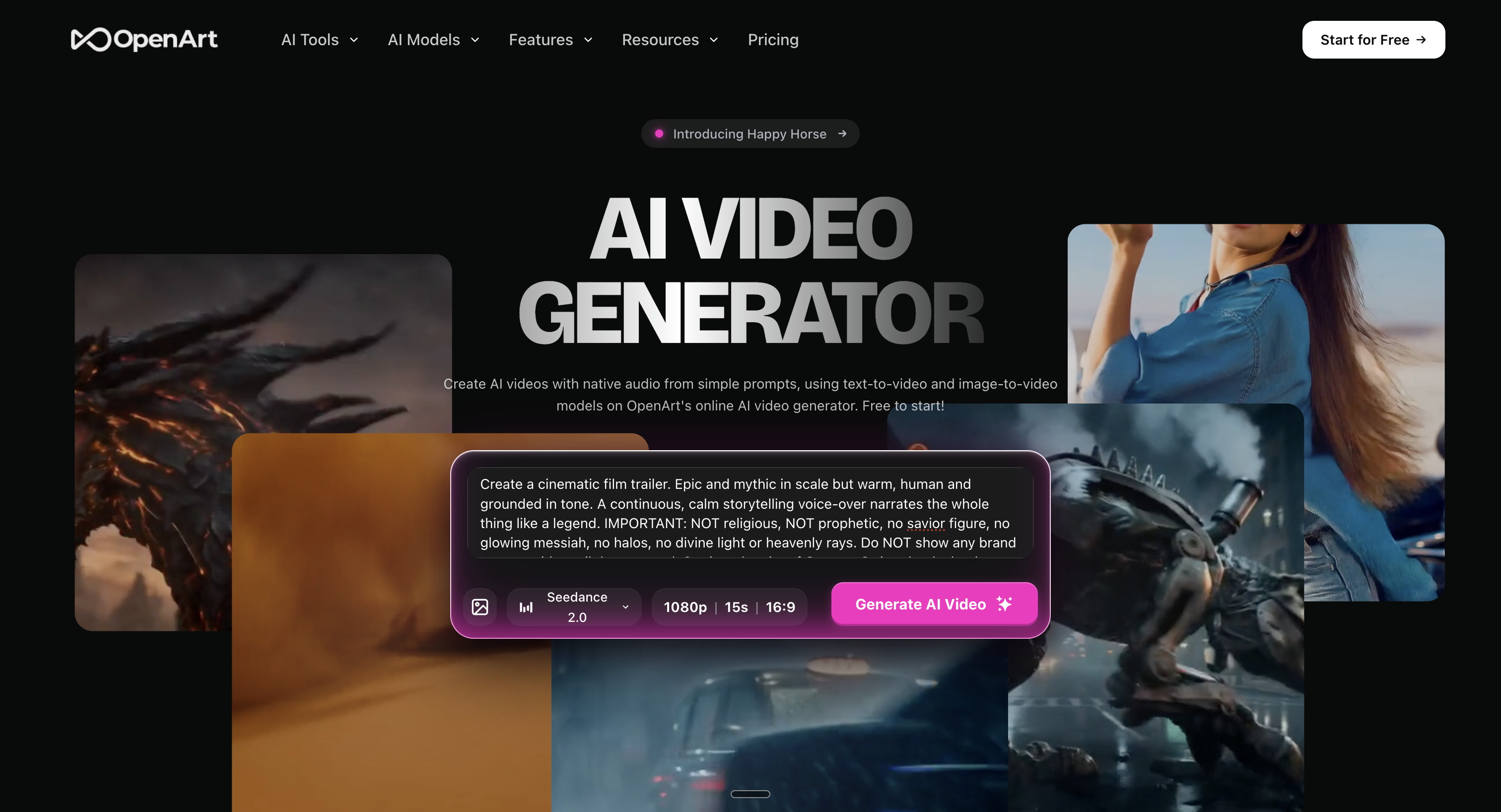
OpenArt with the prompt Claude gave me
And then, tell me everything:
what you generated, and what you think of it! If you post it on Instagram, tag GenevIA, and I'll happily reshare it.
One last thing.
If you want to skip the whole "find the right prompt" step every time, that's exactly what DiraIA does for you, every week.
Try GenevIA Premium + DiraIA →
Talk soon,
Salim
Get The Ergon Brief every week