
See your post before you post it
Here's how, in one click

You can now generate a complete LinkedIn or Instagram carousel in ChatGPT or Claude, and see it as if it were already posted.
What does it look like?
You describe your idea. The AI writes the slides, lays them out, and outputs the whole thing in HTML.
And that HTML mimics the real LinkedIn feed: you see your carousel in its final setting, slide after slide, before you even publish.
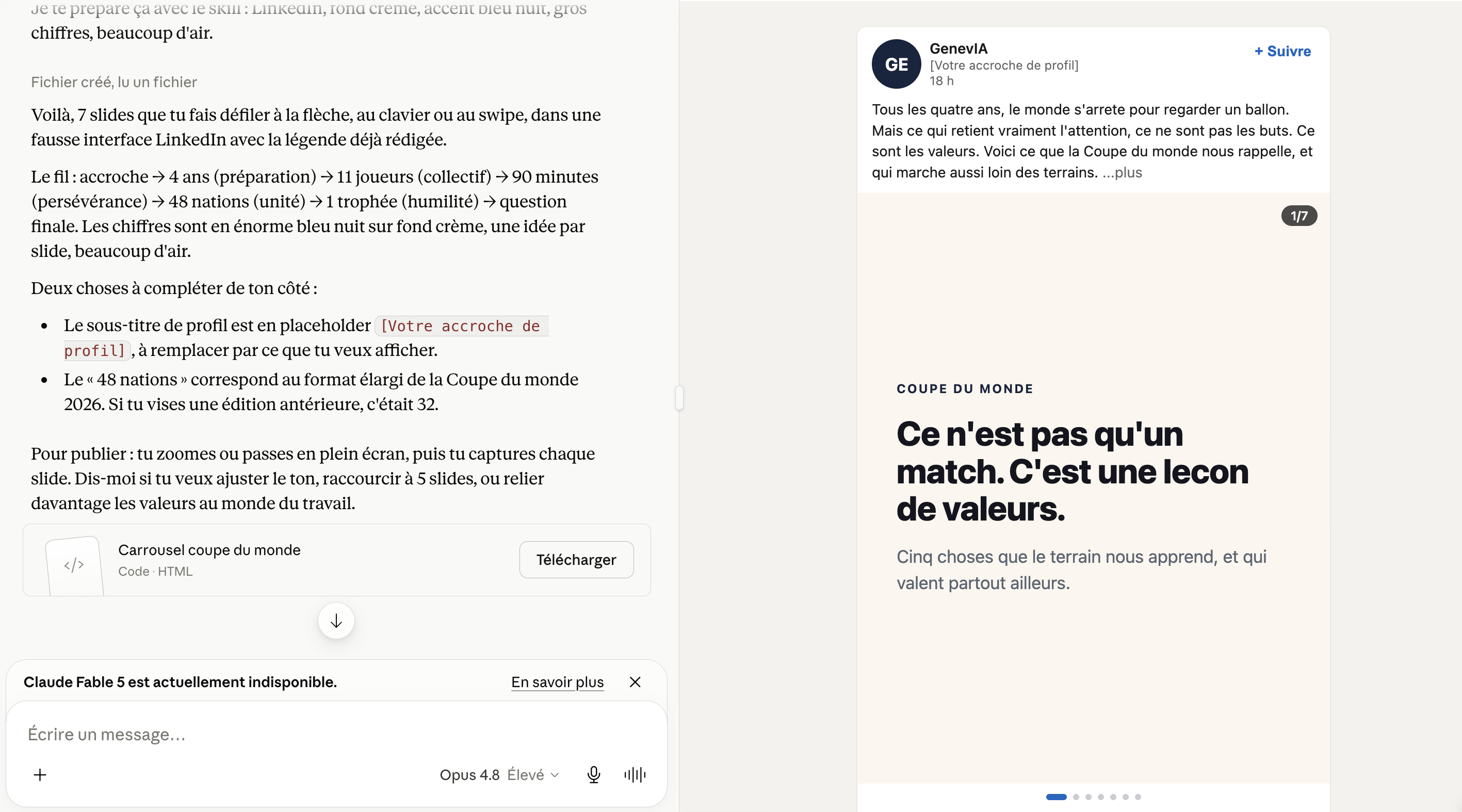
The skill in action in Claude
You know right away whether it lands, or whether it needs a second draft.
The secret is HTML.
It's what I tell everyone who wants to make beautiful things with AI: make it in HTML.
The skill handles it for you. Zero lines of code to write.
How do you use it?
Once you have the skill, it's three steps:
-
Add it to your favorite AI (the Skills section in Claude, or your GPT's instructions in ChatGPT).
-
Write your request, telling it to use the carousel skill.
-
You get the carousel back, rendered like a real post.
Here's a sample prompt you can copy and adapt to try it out:
Use the carousel skill to make me a 7-slide LinkedIn carousel in HTML about [your topic].
Strong hook on the first slide, one single idea per slide after that, and a call to comment on the last one.
Style: modern and clean, cream background, big headlines easy to read on mobile, a navy blue accent color, highlighted numbers, lots of white space.
Direct, concrete tone, zero jargon.
Also write the caption to publish with the carousel.
The only catch?
Once the carousel is generated in HTML, it's up to you to screenshot it, slide by slide.
Neither ChatGPT nor Claude turns each slide into an image for you.
A bit manual, sure. But it's still by far the best way to get visuals that look great and that you control from start to finish.
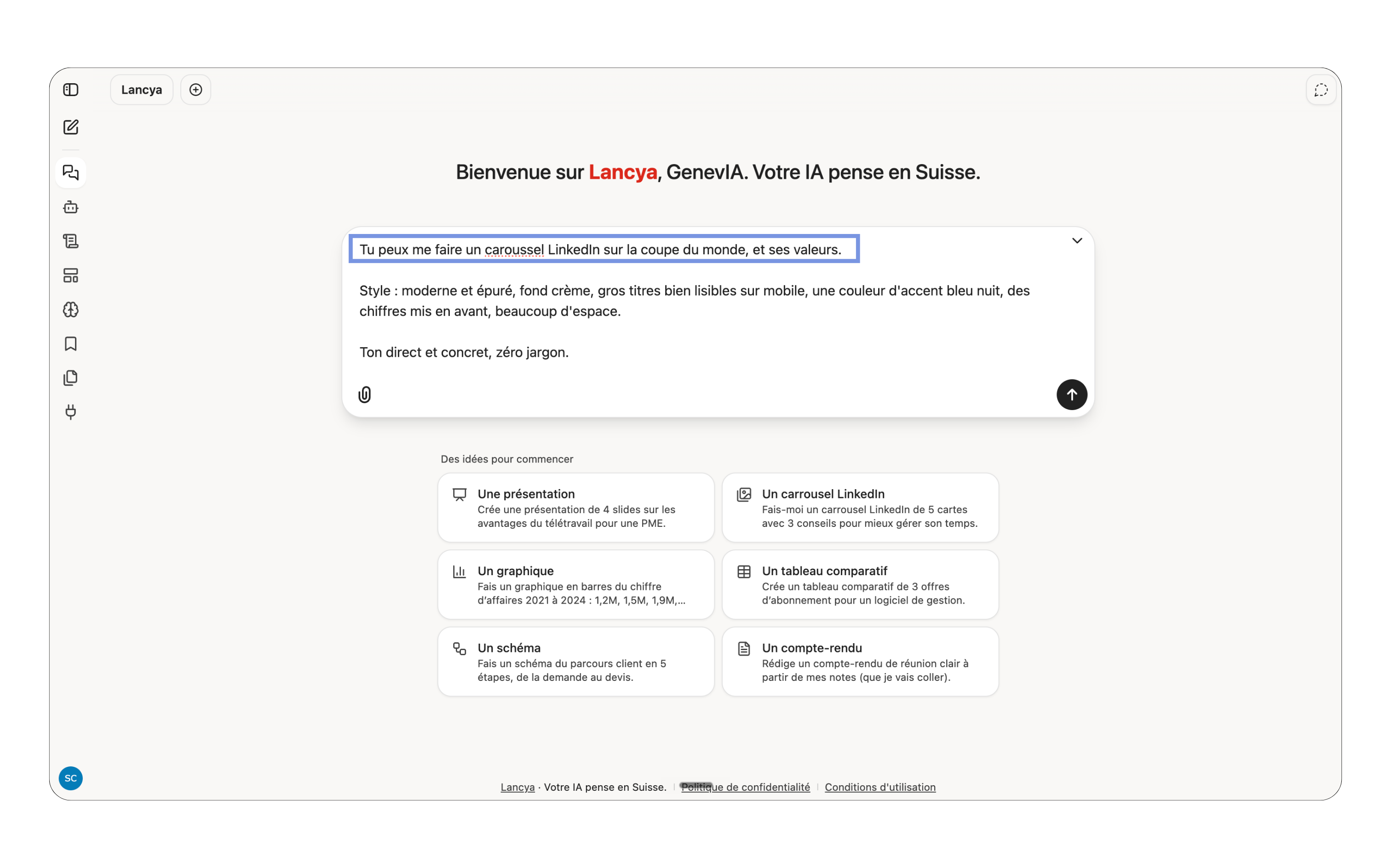
On Lancya (interactive Swiss AI), it's even simpler.
No skill to paste, no copy-pasting. It's built in, and it goes even further!
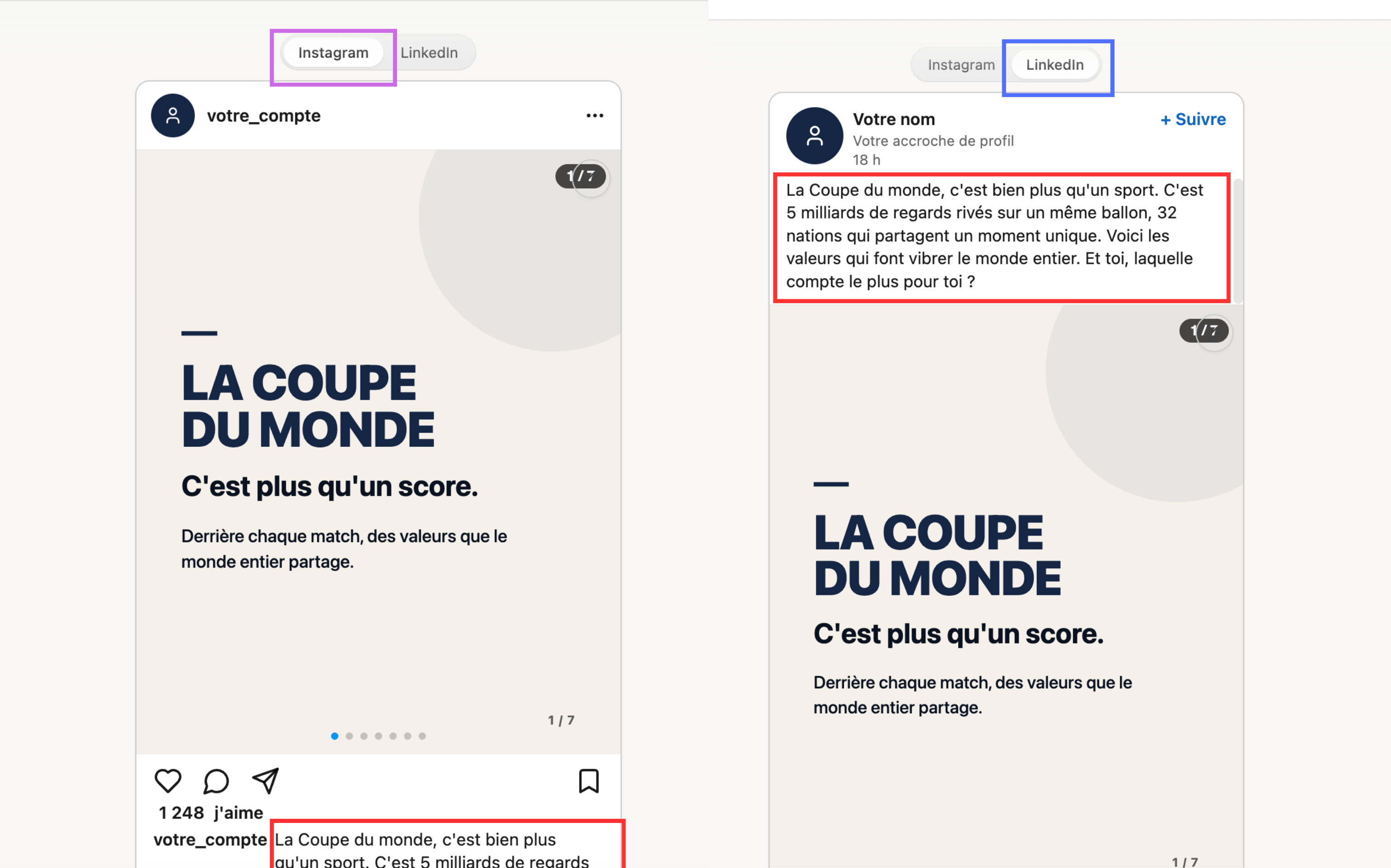
Your prompt just needs to say you want an Instagram or LinkedIn carousel, and the AI generates it on its own in the right format.
Along with the caption, ready to post:
The best part: editing
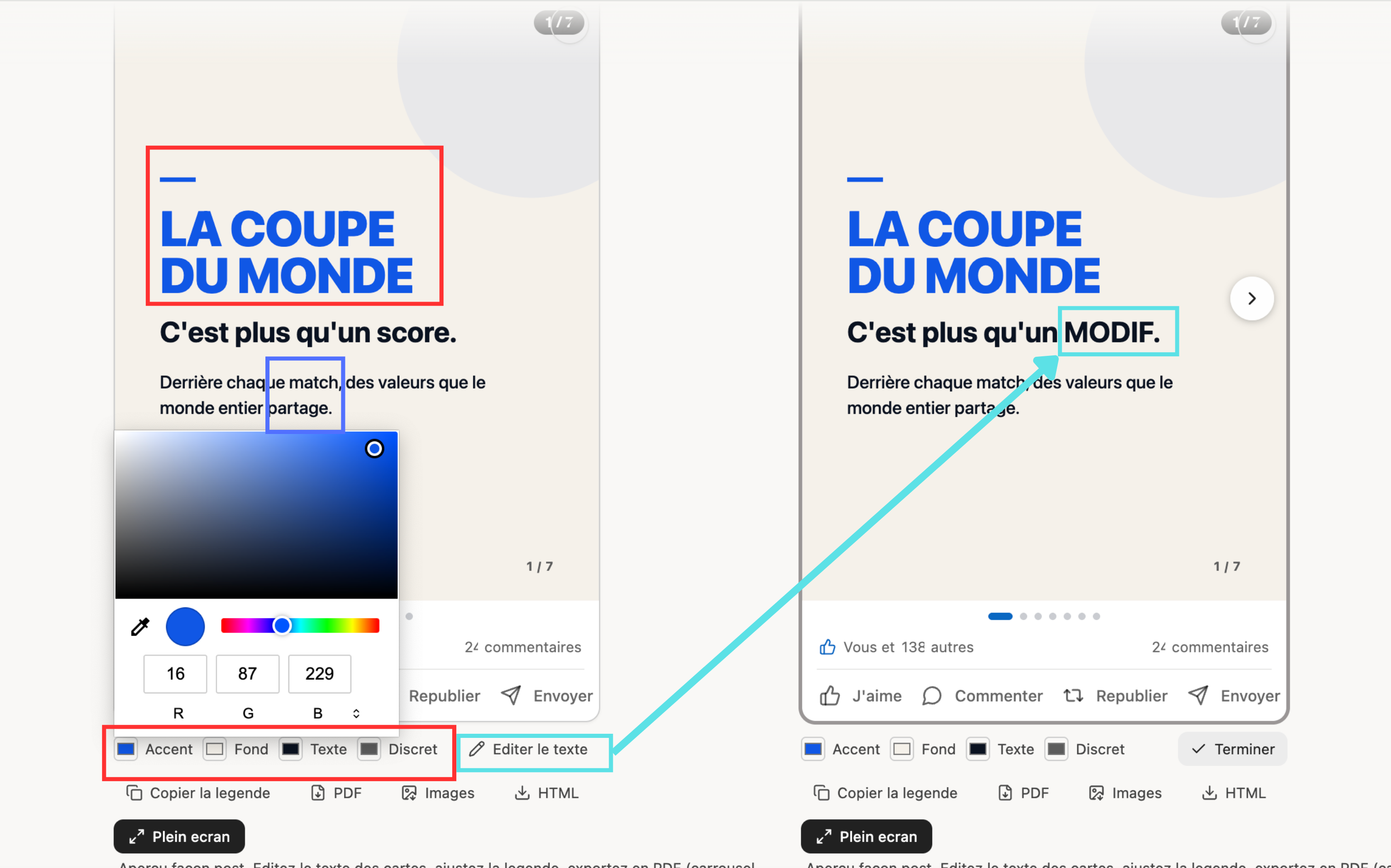
Click on the spots you want to change, tell Lancya what you want there, and it takes care of it:
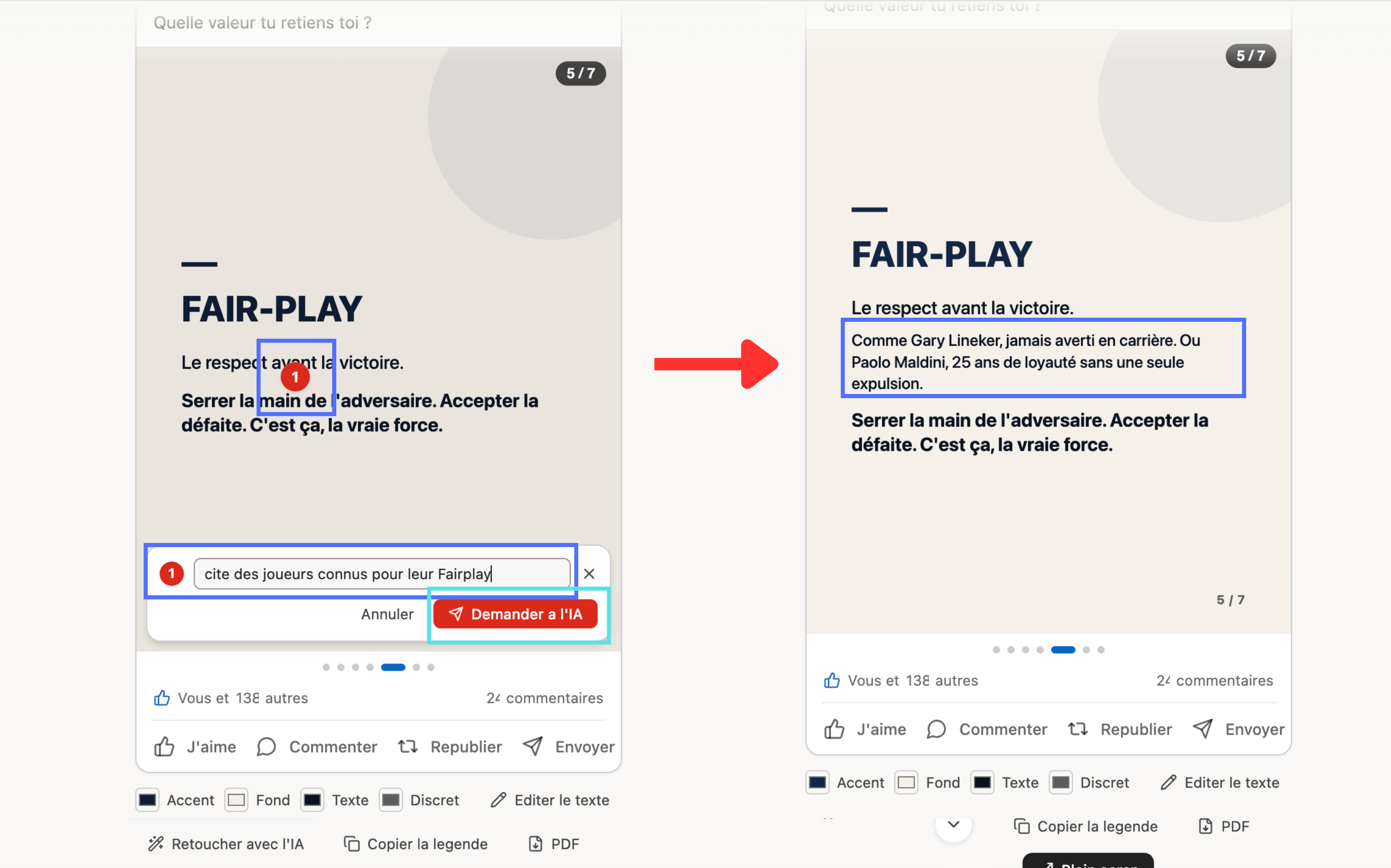
You can even edit the post in a few clicks, often without re-prompting at all!
Style and text alike:
And my favorite part:
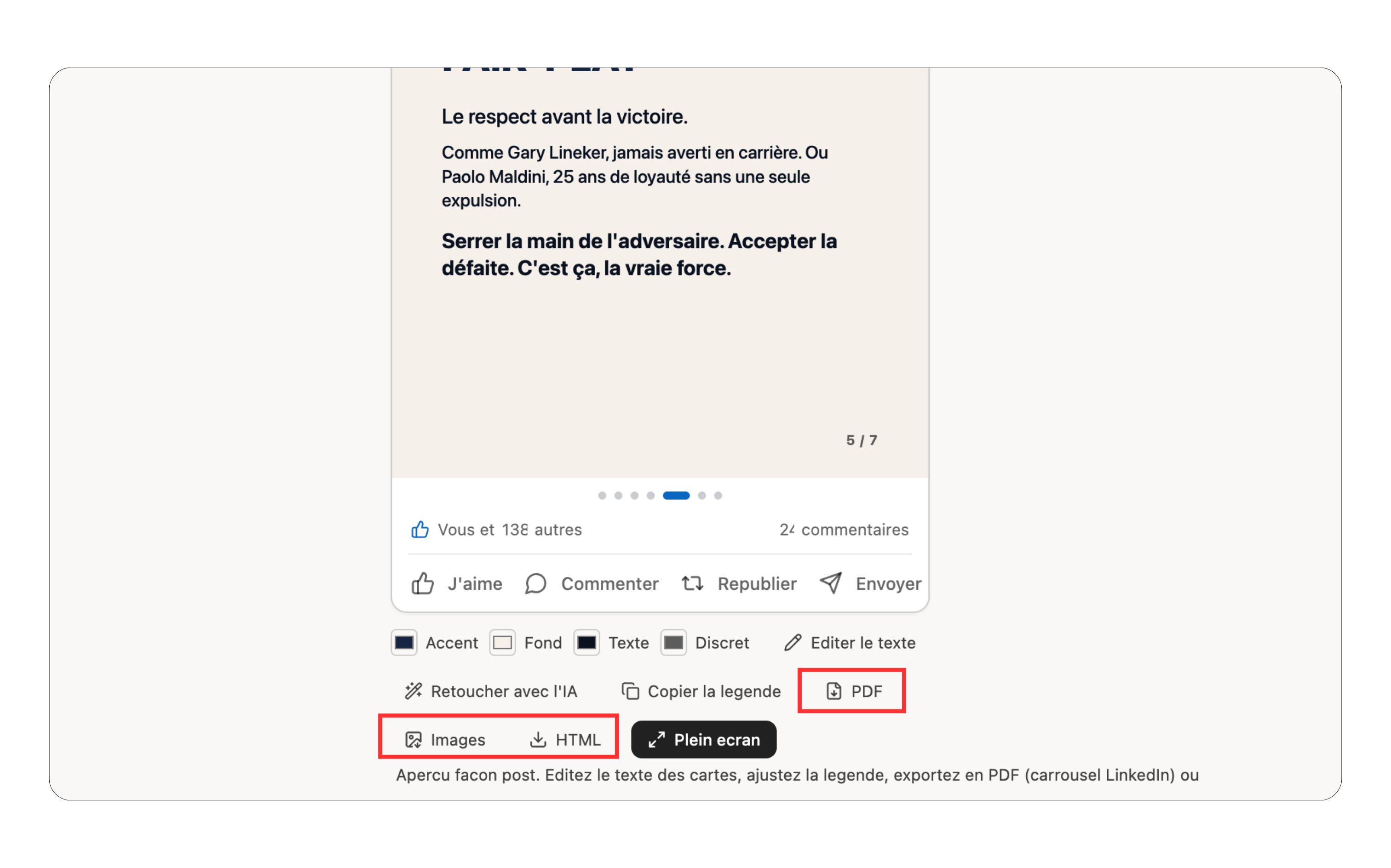
You generate the carousel, click "Download", and get your visuals ready to post, as a PDF.
No more taking screenshots and then figuring out how to stitch them into a PDF for LinkedIn, like you have to with other tools.
From idea to publishable post without leaving the conversation.
That's it.
Salim
P.S.: tired of juggling tools and copy-pasting? That's exactly what Lancya saves you from. Lancya is built on three ideas.
-
It's built for professionals, especially Swiss ones. For generic AI use, ChatGPT and the like do the job very well.
-
Everything runs in Switzerland. Your data isn't used to train anyone's models and doesn't go to American companies.
-
Interactivity. When I use Claude, I ask for a slide and it generates it. But if I just want to change a color, I have to prompt again. Everything has become so conversational that we've forgotten a simple button is sometimes just nicer. Lancya blends the two: the conversation, plus buttons that show up at the right moment so you can take direct control of what's been generated.
The best way to see it is to try it free:
Get The Ergon Brief every week