
Create your first Skill in 5 minutes, no coding required.
You asked me to cover it. Here's the complete guide.
Last week, I told you about Claude Cowork.
And at the end of the email, I quickly mentioned something. Skills. I said: "If you want me to go deep on this, just reply."
I was expecting a few replies.
I got hundreds.
My inbox basically exploded. Lots of "YES", lots of "I've heard of it but I don't get it", lots of "What even is that?"…
Message received. Loud and clear.
So today, we're going to break it all down. What it is, what it's for, how it works, and above all how to create one yourself in 5 minutes.
Because honestly? Once you understand Skills, the way you use Claude changes for good.
One thing before we dive in. Skills will let you produce content at a crazy pace. At that point, production is no longer the problem. Marketing is. For that, I recommend this free guide from HubSpot:
The Future of AI in Marketing. Your Shortcut to Smarter, Faster Marketing.
This guide distills 10 AI strategies from industry leaders that are transforming marketing.
-
Learn how HubSpot's engineering team achieved 15-20% productivity gains with AI
-
Learn how AI-driven emails achieved 94% higher conversion rates
-
Discover 7 ways to enhance your marketing strategy with AI.
Outpace your competitors by mastering AI.
Now, back to business:
What is a Skill?
Imagine you hire a new assistant.
On day one, they're competent but generic. They don't know your processes. They don't know how you structure your reports. They've never seen your brand guidelines.
So you give them an onboarding guide. A folder with your procedures, your templates, your preferences. And suddenly, they're seriously good.
That's exactly what a Skill is.
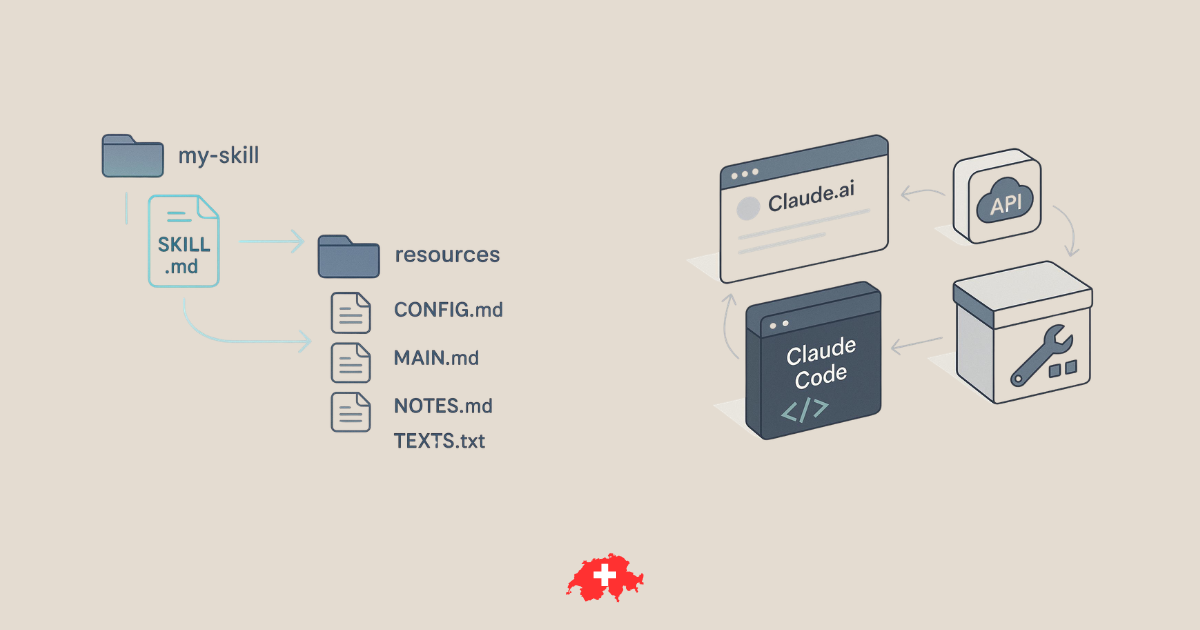
Technically, it's a simple folder containing a file called SKILL.md, a Markdown document with instructions, scripts, and resources. You give it to Claude, and now it knows how to do something new, your way.
The elegant part? Claude doesn't load all your Skills all the time. It just reads the title and description of each Skill at startup. And only when your request matches a Skill does it load it in detail.
It's what Anthropic calls "progressive disclosure": Claude only loads what it needs, when it needs it. Clever.
What is it actually for?
Where it gets interesting is when you look at the use cases.
Anthropic's pre-installed Skills:
Claude already knows how to create Excel, Word, PowerPoint and PDF files. Well, those capabilities? They're Skills. Anthropic built them exactly the same way you could build your own. They're even open source on GitHub if you want to study them.
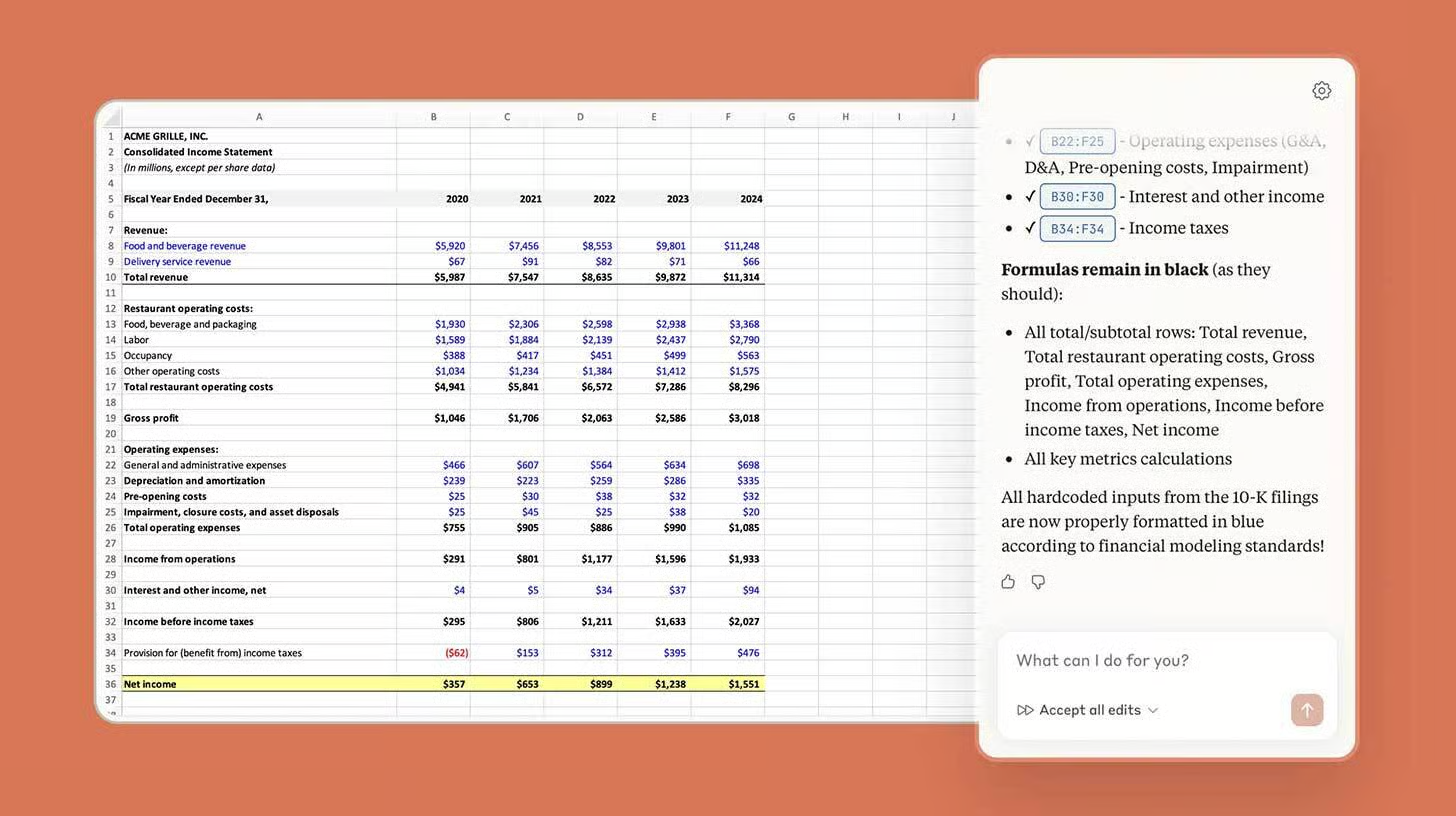
Custom Skills are where the magic happens:
→ Want every presentation to follow your brand guidelines (colors, fonts, logo)? "Brand Guidelines" Skill.
→ Want Claude to structure your meeting notes exactly the way your company likes them? "Meeting Notes" Skill.
→ Want it to generate invoices from a timesheet? "Auto-Invoice Generator" Skill.
→ Want it to create tasks in Jira or Asana following your team's conventions? There's a Skill for that too.
→ One guy manages inventory for 9 e-commerce brands. He built a Skill that analyzes sales, projects stock over 12 months and recommends order dates, factoring in manufacturing lead times and even Chinese New Year. All by typing /inventory.
The principle is simple: anything you explain to Claude more than once deserves a Skill.
How does it work under the hood?
A Skill is a folder with this structure:
my-skill/
├── SKILL.md          ← The brain (required)
├── scripts/          ← Executable code (optional)
├── references/       ← Reference docs (optional)
└── assets/           ← Templates, logos, fonts (optional)
The SKILL.md file always starts with a YAML header:
---
name: brand-guidelines
description: Applies the Acme Corp brand guidelines to all
  presentations and documents, including the official
  colors, fonts and logo.
---
The name is your Skill's identifier.
The description is THE critical field. It's what Claude reads to decide whether to activate the Skill or not. The more precise it is, the better it triggers. Anthropic even recommends being a bit "pushy" in the description, something like: "Use this Skill whenever the user mentions presentations, marketing documents, or anything that requires a consistent visual identity."
After that, the body of the Markdown contains your detailed instructions: the steps, the examples, the rules to follow.
3 levels of progressive loading:
-
Level 1: The name and description (loaded at startup, a few dozen tokens)
-
Level 2: The full content of SKILL.md (loaded if Claude thinks the Skill is relevant)
-
Level 3: The supporting files (scripts, references) that Claude only fetches if needed
That's what makes the system so efficient: no wasted context.
How to create your first Skill (in 5 minutes)
Option 1: You ask Claude to do it for you.
Yes, it's that simple. You type:
"Help me create a Skill for [your workflow]"
Claude asks you a few questions, generates the structure and the SKILL.md, and gives you a ZIP file to download. It's the fastest method.
Option 2: You do it by hand.
-
Create a folder (e.g.
my-brand-guidelines/) -
Inside it, create a
SKILL.mdfile -
Add the YAML frontmatter (name + description)
-
Write your instructions in Markdown
-
Zip the folder
-
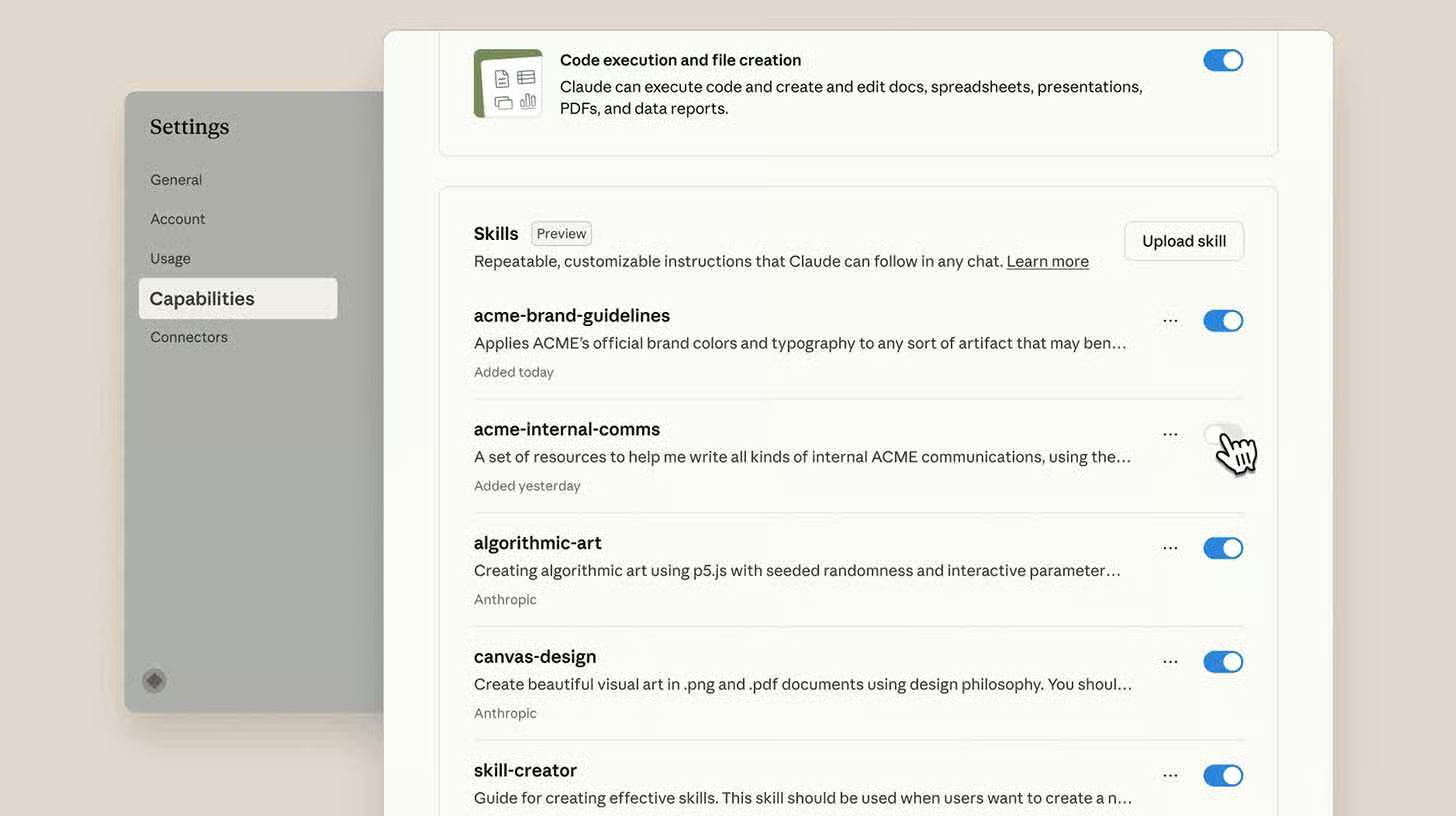
Go to Settings → Capabilities → Skills on Claude.ai
-
Click "+" then "Upload a Skill"
-
You're all set.
Best practices:
→ One Skill = one goal. No catch-all Skills. Several focused Skills combine better than one giant one.
→ Include examples. Concrete inputs and outputs in your SKILL.md. Claude understands much better what you expect.
→ Test as you go. Add, test, adjust. No need to anticipate everything in the first draft.
→ Keep SKILL.md under 500 lines. If it gets longer, move the details into separate files that you reference.
The masterstroke: it's an open standard
Anthropic made the same play it made with MCP (the protocol for connecting Claude to external tools).
In December 2025, they published Agent Skills as an open standard on agentskills.io. The result? The specification has been adopted by GitHub Copilot, Cursor, Windsurf, Gemini CLI, OpenAI Codex, and a dozen other tools.
What this means in practice: a Skill you create for Claude also works in Cursor, in Copilot, in Codex. Write once, use everywhere. That's exactly what happened with MCP, and we've seen how that took off.
There are already more than 25,000 Skills in the ecosystem.
Partners like Notion, Canva, Figma, and Atlassian have built their own Skills, available in the official directory right from Claude.
Skills vs. Projects vs. Custom instructions: the classic confusion
I know what you're thinking: "But I already use Claude Projects / custom instructions, isn't that the same thing?"
No. Here's the difference:
Custom instructions = your general preferences. "Be concise", "Ask questions before you start". They apply to EVERYTHING.
Projects = context that builds up over time. A product launch, a campaign, ongoing research.
Skills = repeatable procedures that kick in automatically when relevant. Your brand guidelines, your report format, your analysis workflow.
The power comes from combining all three. A Project for your product launch + a Skill for your brand guidelines + custom instructions for your communication style = Claude working exactly like you.
Availability
Skills are available on the Free, Pro, Max, Team and Enterprise plans. You just need to turn on "Code execution and file creation" in the settings.
On Team and Enterprise plans, admins can roll out Skills to the whole organization in one go. Your 50-person team uses the same templates, the same procedures, the same standards, without anyone having to configure a thing.
My advice
Don't start by building a complex Skill.
Think of the thing you explain to Claude every single time. That brief you copy-paste. That format you describe all over again. Those brand guidelines you re-upload.
That's your first Skill.
You create it in 5 minutes. And from then on, Claude knows it. Forever.
That's the real power of Skills: you only train Claude once. And it applies that expertise over and over.
Give it a try and keep me posted, and if you'd like, we can go deeper.
Talk soon,
Salim from GenevIA, in Geneva
Get The Ergon Brief every week