
3 Lancya AI features you should know
Click to edit, annotate with a pencil, highlight to refine...

Today I want to show you two or three Lancya features you really should know about. But first, a quick confession: GenevIA and I are the ones behind Lancya, the "Swiss Claude" I told you about a few days ago.
I didn't sign that first email. I wanted honest feedback, without anyone being swayed by who was behind it. Hundreds of sign-ups later (in just 48 hours!), I got it, and it's been wonderful, especially about the tone!
Thank you for that.
I'll send you an email later with the whole story (I think you're going to love it). Today, just the essentials, and a few features I wanted to show you.
Lancya is all the tools I was missing in Claude and the rest, the ones I kept ending up building in-house, for myself and for the people I work with. Every time something was missing, I built it.
Today, I'm sharing it with you.
And the thing you ask me for most is an AI that runs in Switzerland, with nothing leaving the country. The problem is that nothing running on Swiss-hosted models today matches Claude, or even comes close. After an interview with Infomaniak a few months ago, I knew their local model was good. It was just the platform around it that wasn't there yet. So I thought: you know what, I'm going to share Lancya with my whole community.
Before the features, a word on the three ideas behind Lancya.
-
It's built for professionals, especially Swiss ones. For general-purpose AI, ChatGPT and the like do the job very well. Lancya is designed for how French-speaking professionals work, with French-speaking Switzerland especially in mind.
-
Everything runs in Switzerland. The goal: quality on par with the best, with your files and the models staying in Switzerland. Your data isn't used to train anyone's models, and it never ends up with American companies. That's the most important point for me.
-
Interactivity. This is where we put most of our effort. When I use Claude, I ask for a slide, it generates it, great. But if I just want to change a color, I have to prompt again. Everything has become so conversational that we've forgotten a simple button is sometimes just nicer. Lancya blends the two: conversation, plus buttons that appear at the right moment so you can work directly on what's been generated.
Which brings me to the three features I wanted to show you.
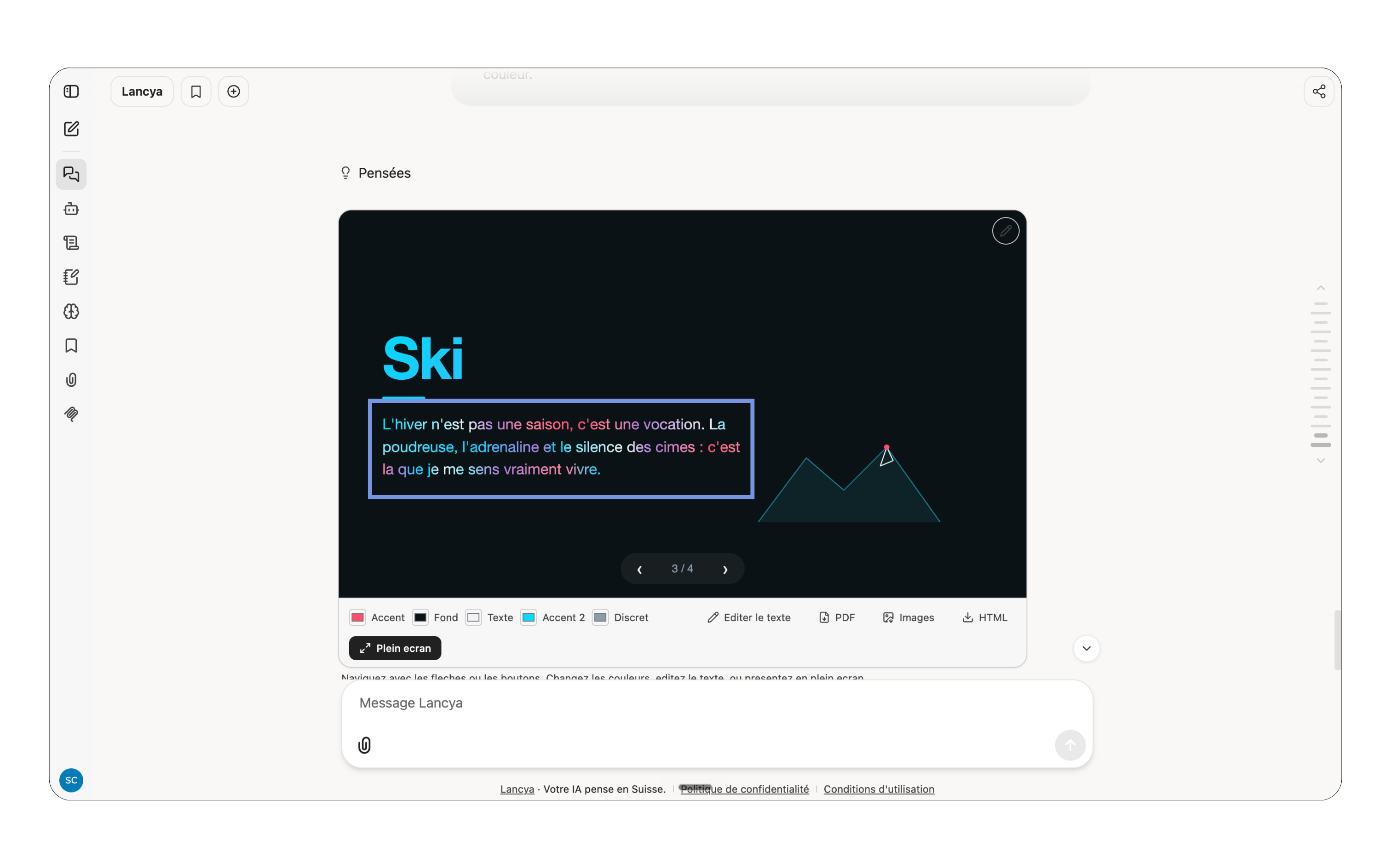
Click to edit, no re-prompting every time.
You generate a slide, a chart, a carousel. Want to change a word or a color? Just click on it and change it. The visual updates live, without going back through a prompt.
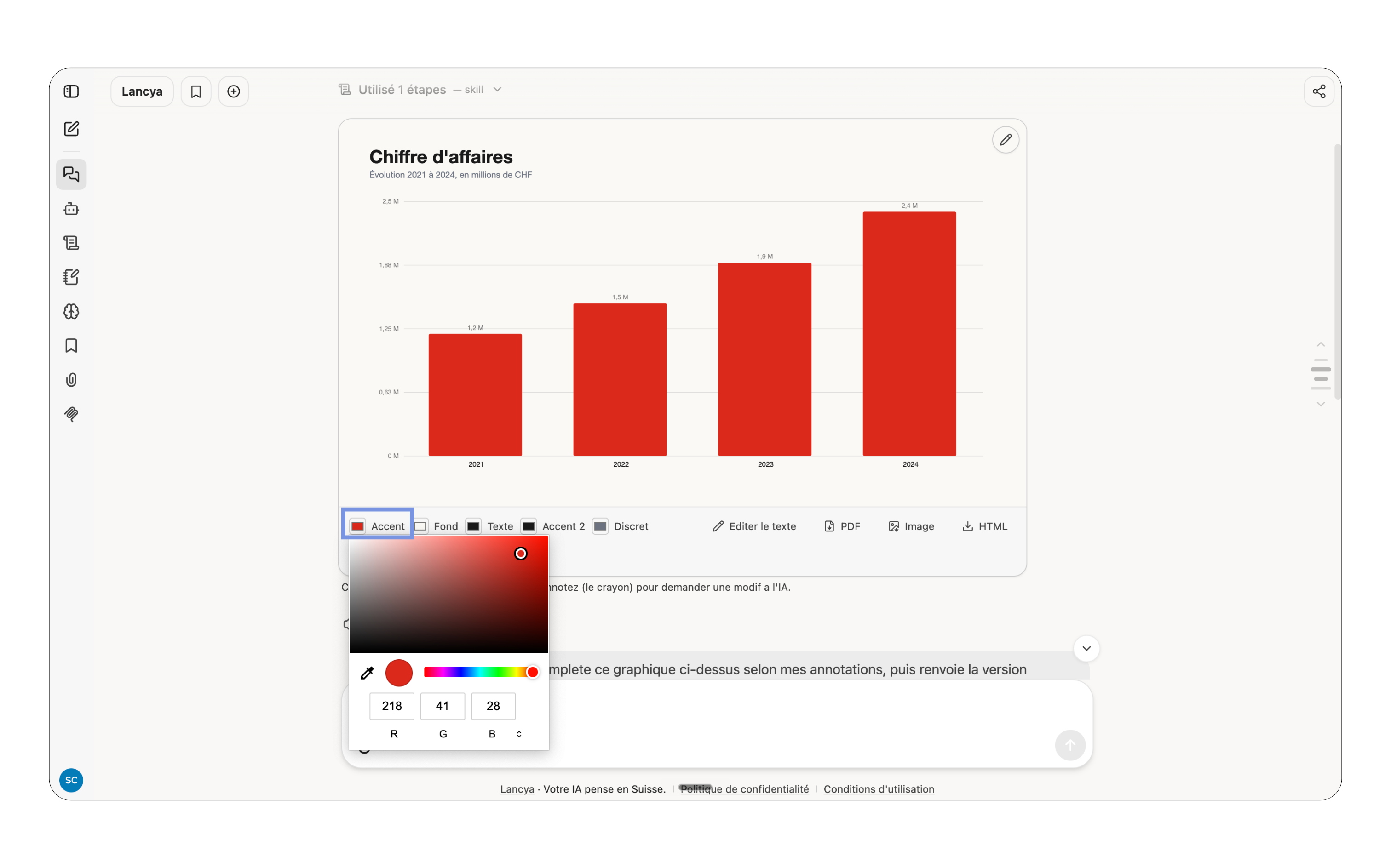
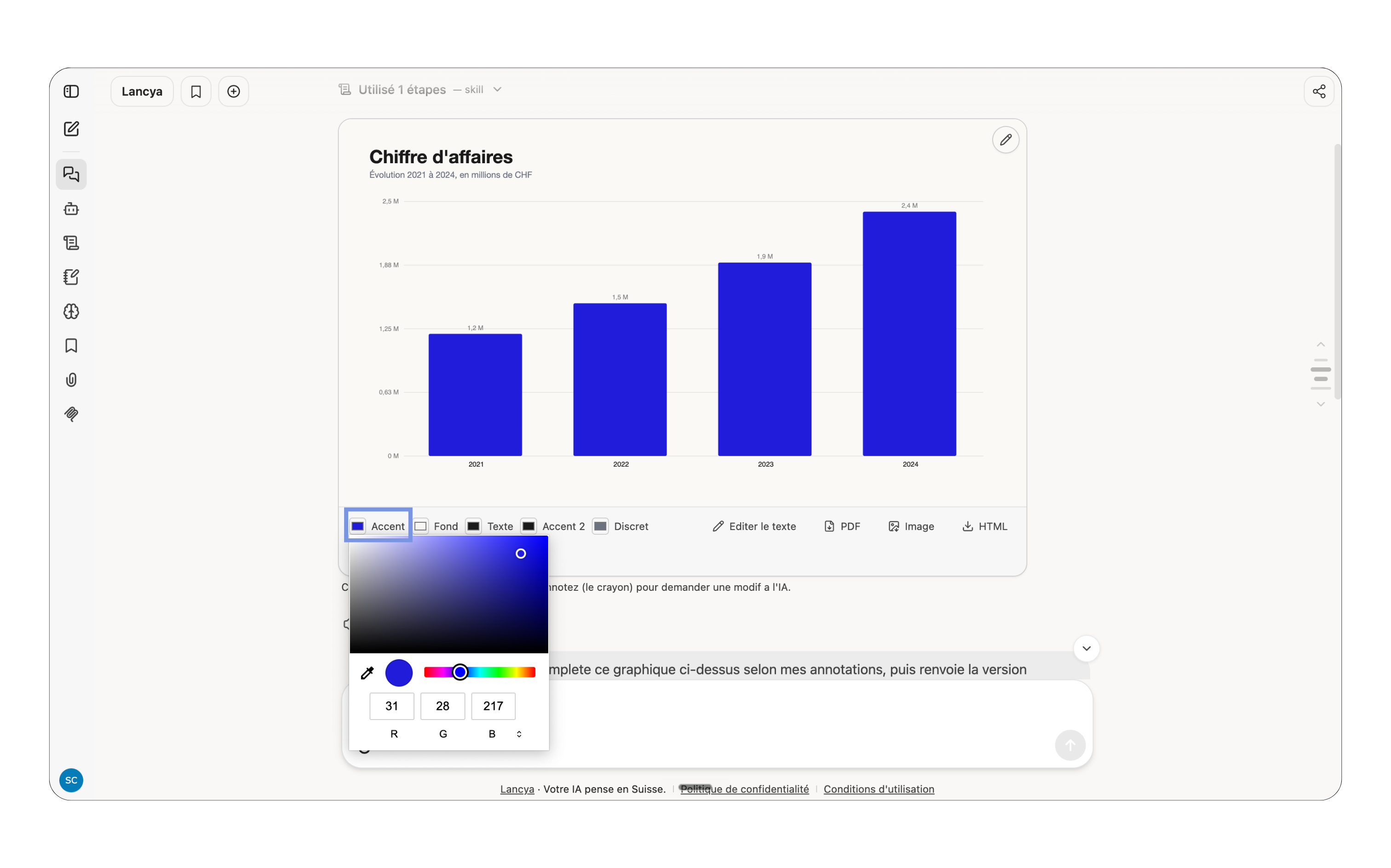
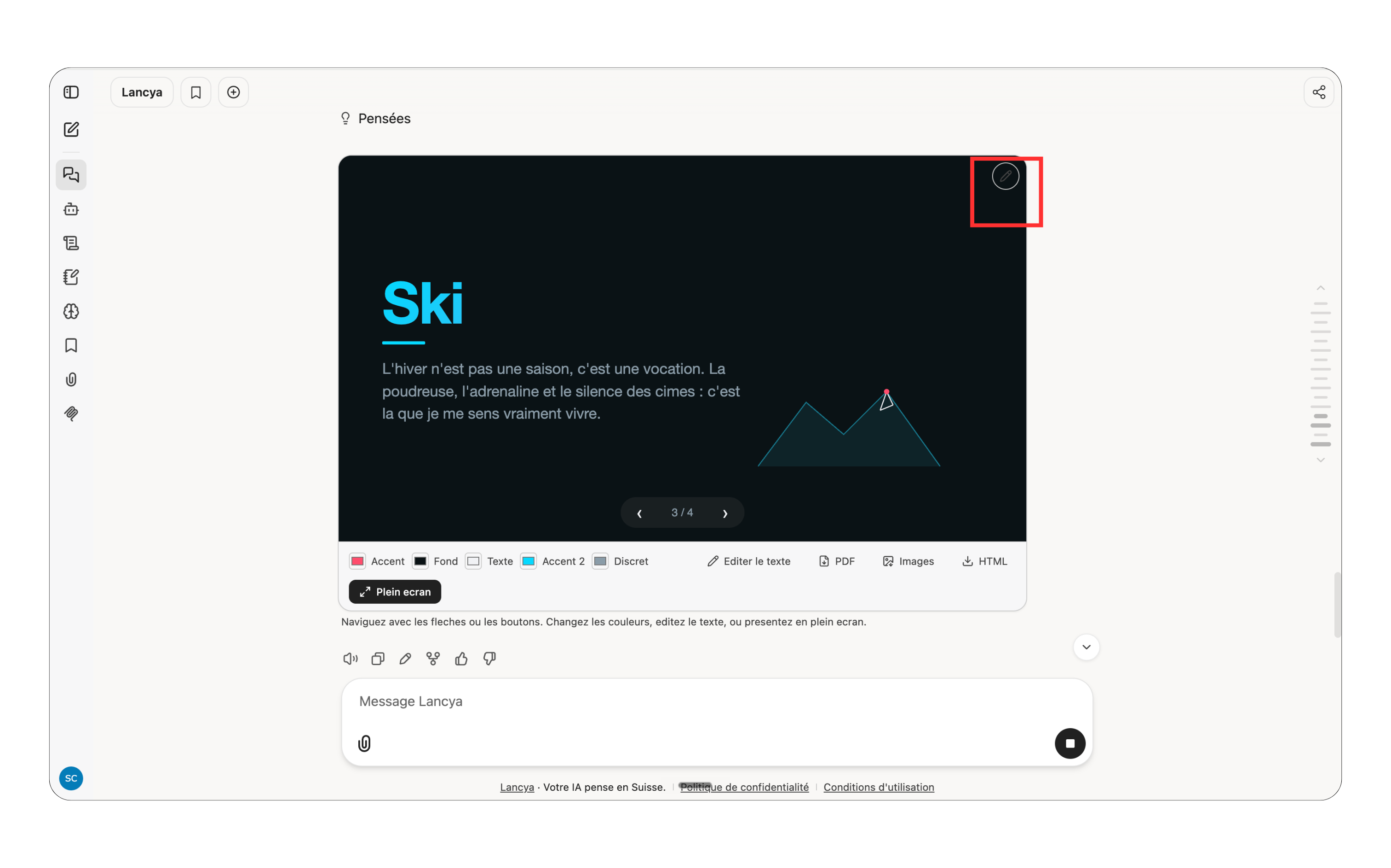
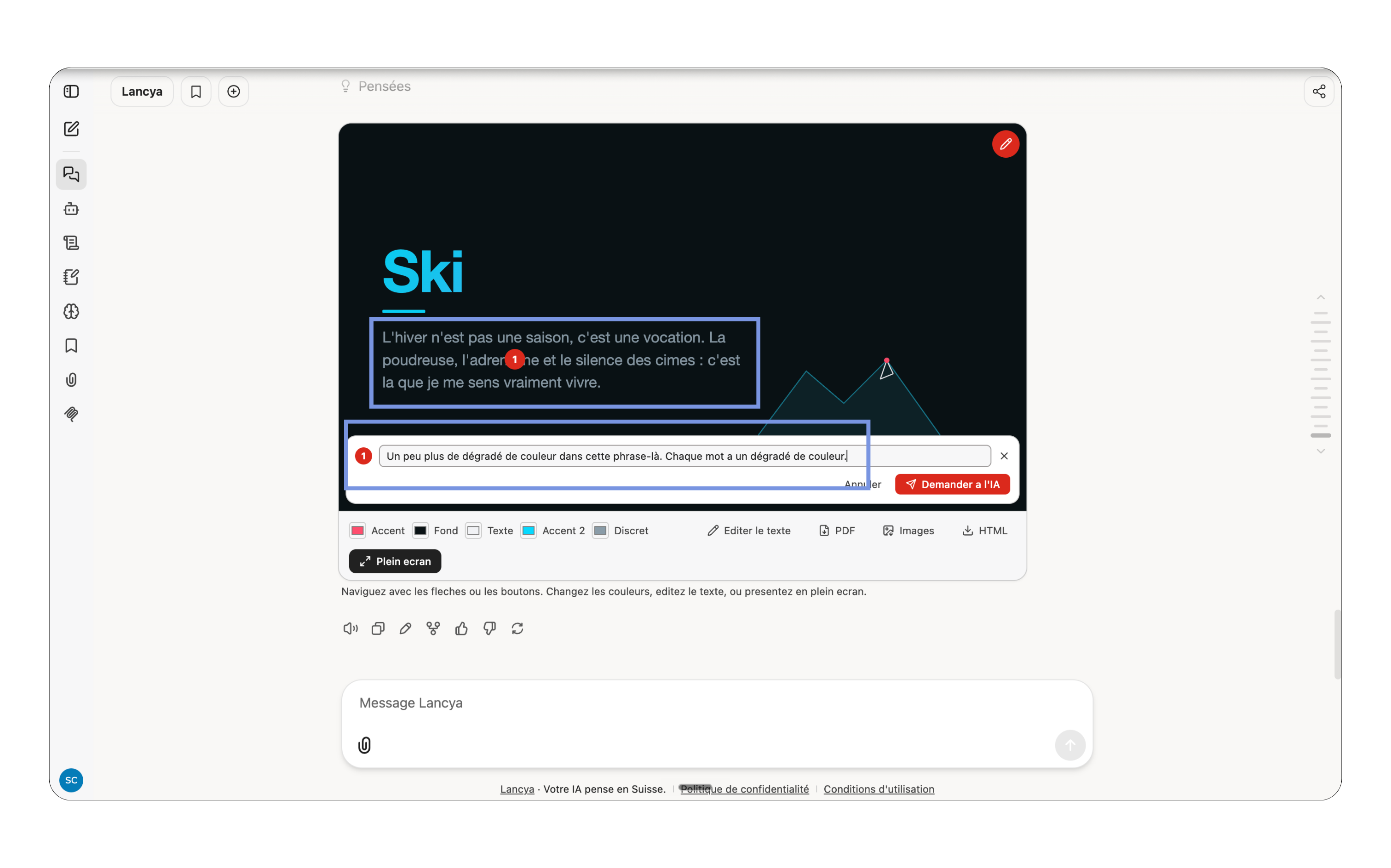
The pencil, to point at exactly the right spot.
A visual that's almost perfect, but missing one detail in the right spot? Grab the pencil, point at the element (or an empty area), write what you want, and the AI edits right there. You can even drop several markers at once.
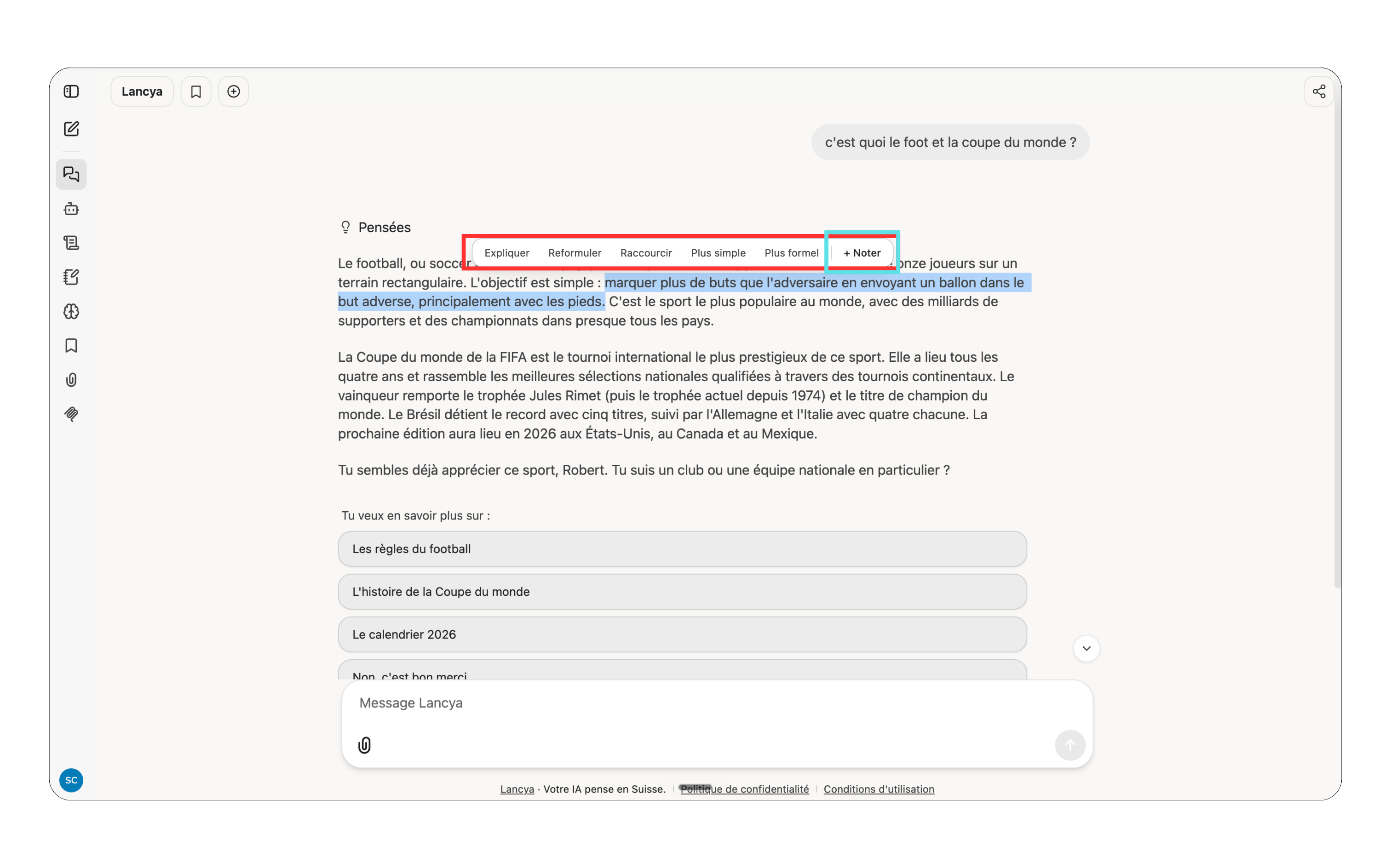
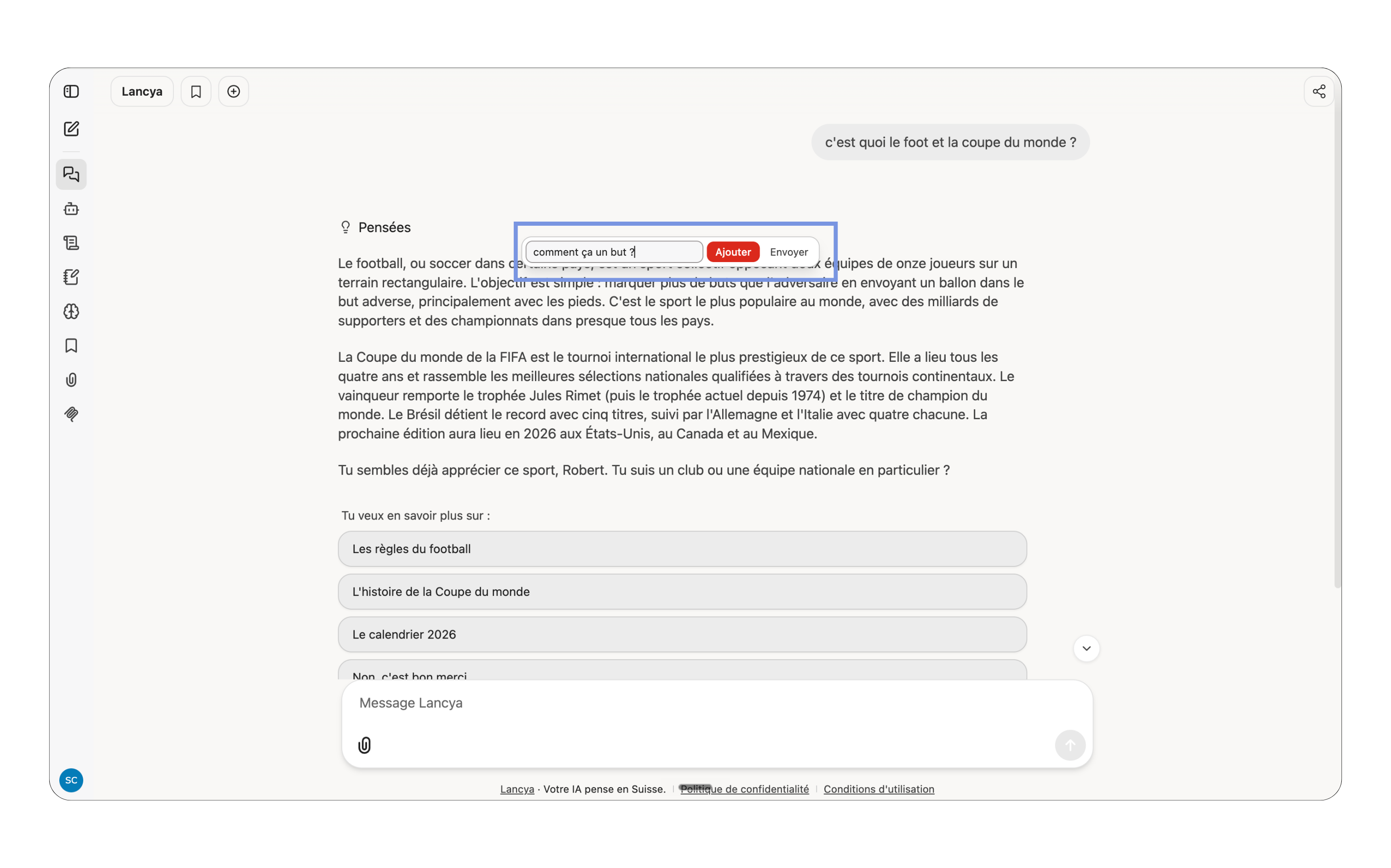
Highlight, and a menu appears. In a response, highlight a passage and a small menu opens: Explain, Rephrase, Shorten, Simpler, More formal, Ask a question, or your own comment. You can stack up several comments on several passages, then send them all at once.
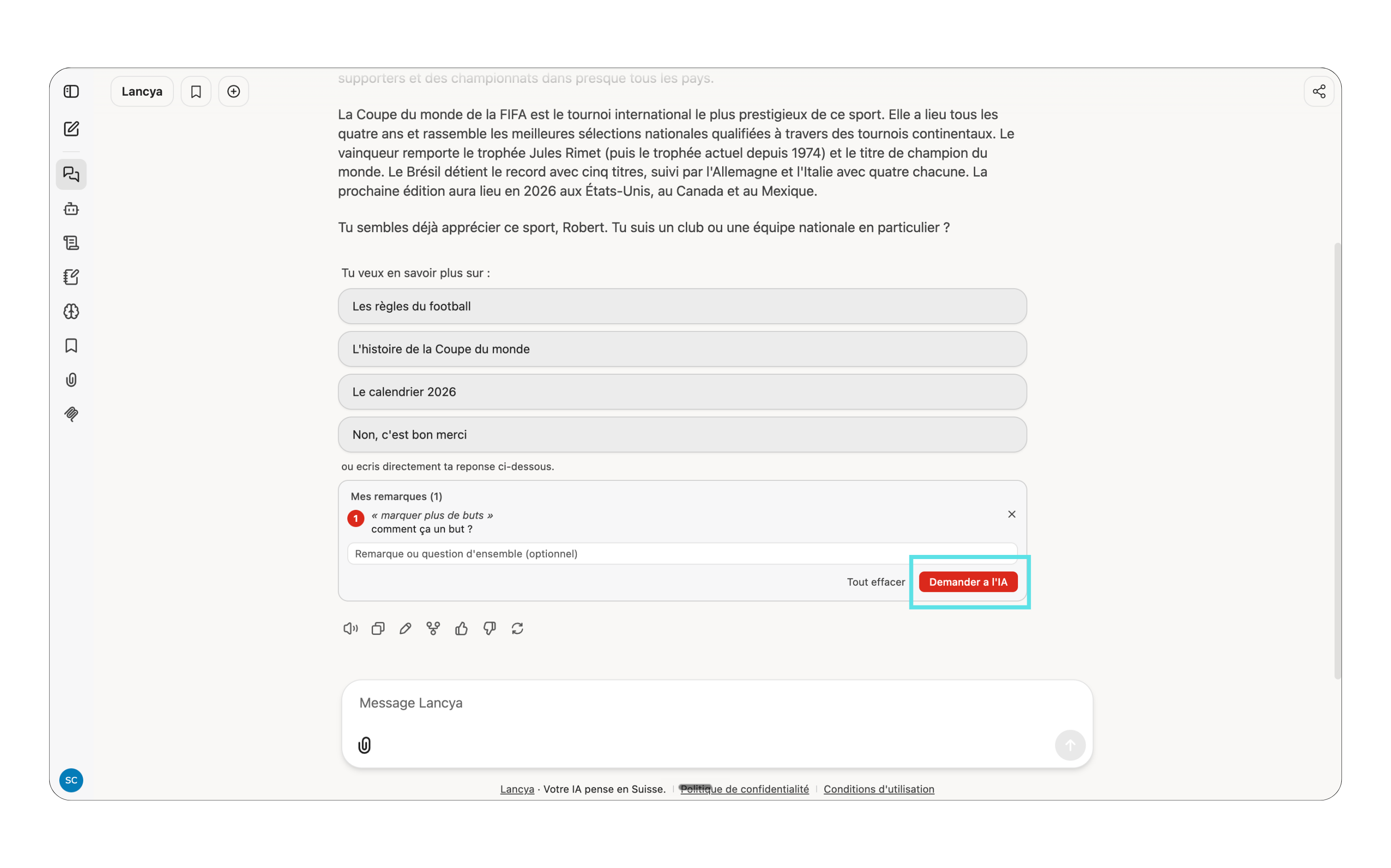
That's the idea. Not just chatting with an AI, but working with it, and staying in control of the result.
(you can of course keep editing by prompting too)
The best way to see it is to try it.
Type this prompt, for example:
Make me a LinkedIn carousel on 3 mistakes to avoid when working remotely.
You'll watch the carousel generate, and you can click on it right away to change a word, a color, or point at a detail with the pencil. That's when it really clicks.
Talk soon, Salim
Get The Ergon Brief every week